Before you begin
- Sign in and select the correct closet.
- Select a usable model.
- Use items whose images are available locally or synced. DressWise may try to upload a pending local image during submission.
- Keep the app open and online when a pending image is selected.
- Check the live quota or Fashion Coins shown on the page.
Submit a try-on task
- Open AI Fitting from the center AI button or Me > One-click AI.
- Choose a model.
- Choose a try-on mode shown by the page.
- Select clothing by category.
- If the type is not recognized, choose Top or Bottom manually.
- Check the mode’s supported item types and quantity.
- Review the live price, quota, or Fashion Coins message.
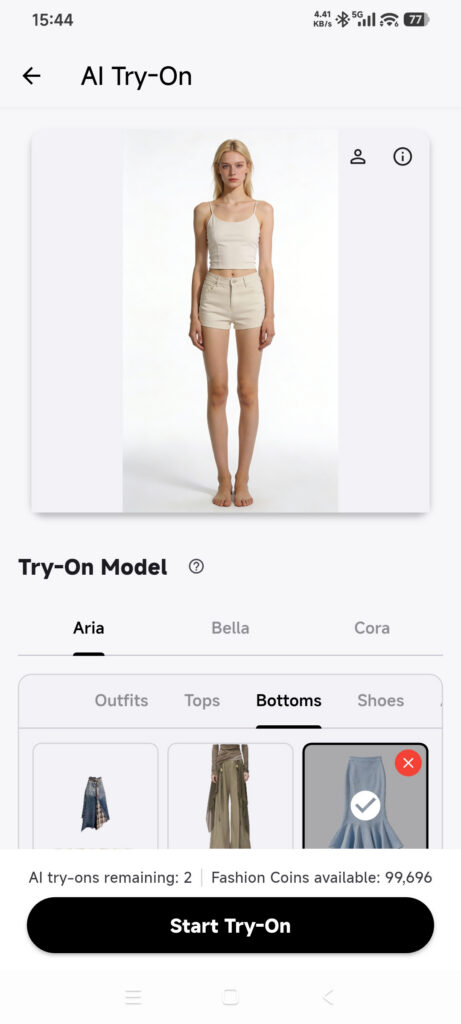
- Tap Start Fitting or Start bulk fitting once.
- If an image is still syncing, wait for the on-demand upload.
- Wait for the submission result; do not tap again.
- Open Outfit and check the processing status at the top.
- When it finishes, open Try-On History and use Completed or Failed to review the final record. Processing tasks are not listed in history.
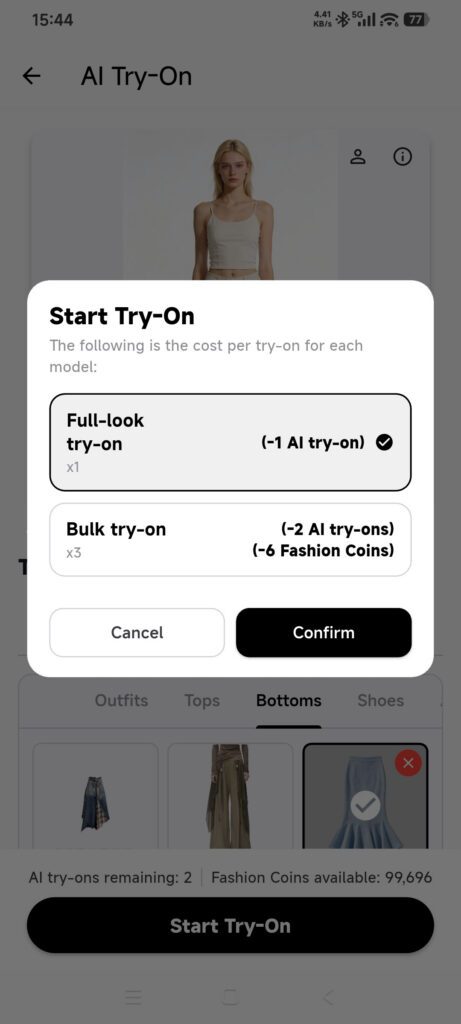
Modes, quantities, cost, result count, and generation time depend on live service and account settings.
View and save a result
- Open a successful record from the completion notice or Try-On History > Completed.
- Wait for the result image to load.
- Tap the download action.
- Choose Save to album. A member HD download may also appear.
- Grant photo access when asked.
- Check the system photo library.
Confirm it worked
- Outfit shows the processing task after submission.
- Try-On History later shows the final Completed or Failed record.
- A successful record opens an image and the saved file appears in Photos.
If a task is stuck or fails
- An item cannot be selected: check the closet, category, mode, and local image.
- Upload failed at submission: keep the selection, check the connection, and retry once; do not create a duplicate task.
- A mode cleared the selection: the new mode may not support those items; review the selection.
- Quota or balance is low: check Membership Center or Fashion Coins.
- The task is processing: check the top of Outfit, not Try-On History, and do not pay again.
- You were charged without a result: keep the task time, status, and billing record and contact support.